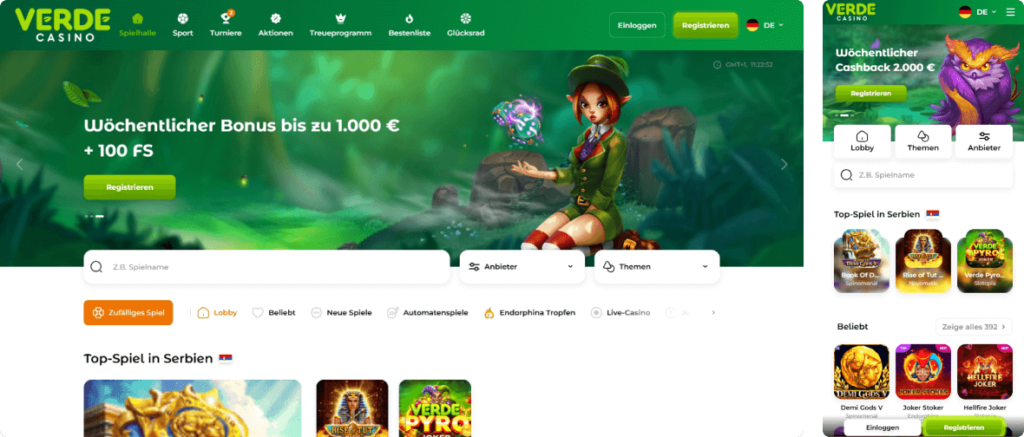
Modern casino action no longer ties you to a single screen. At Verde Casino we have seen how players switch between a smartphone during the morning commute, a tablet on the sofa, and occasionally a desktop for more in-depth game sessions. The ability to pick up exactly where you left off, with your balance, game history and preferences unchanged, has become a basic requirement. Ensuring that smoothness across devices, however, requires more than a responsive website. It demands a dedicated mobile application built with cross-device continuity in mind. In the following sections we offer practical, proven tips that will enable you to get the most out of the Verde Casino app on every device you own, from installation and setup to performance tuning and security habits that protect your play wherever you log in.
Understanding the Real Importance of Device-spanning Casino Play
When we designed the Verde Casino mobile experience, we concentrated on a fundamental truth: a player’s day hardly ever unfolds in front of a single screen. You could initiate a slot game on your phone during a lunch break, then later open your tablet to take part in a live blackjack table without losing a hand. Cross-device compatibility guarantees your account state moves with you right away. Your balance, active bonuses, wagering progress and even the position you paused a game in are mirrored across every device linked to your account. This eliminates the friction of having to cash out or re-navigate menus each time you swap screens, transforming scattered moments into one uninterrupted entertainment session.
Beyond convenience, true cross-device support also upholds the quality of your play. A well-built app like ours optimises the interface for each screen size rather than simply shrinking a desktop layout. Buttons become thumb-friendly on a phone, game lobbies rearrange into swipeable carousels on a tablet, and live dealer streams tweak their overlay controls so you never inadvertently mis-tap. When these details are handled correctly, the experience appears native to whichever device you choose. That consistency builds trust and lets you concentrate entirely on the games, understanding the technology is working silently in the background to keep everything consistent.
Syncing Your Account for a Effortless Multi-device Experience
The core of cross-device play depends on a single account that works everywhere without extra setup. When you create your Verde Casino account, whether through the app or the desktop site, those same credentials instantly unlock your full profile on any supported device. There is no requirement to register again or transfer funds manually between platforms. Once you log in on a second device, your cash balance, bonus funds and loyalty points are readily visible, and any game you launch will reflect your real-time status. We have built our back-end infrastructure to align data almost instantly, so even if you close the app on your phone and open it on your tablet seconds later, you will find the exact same figures.
To make this even more convenient, we have included biometric authentication options across the app. On devices that have fingerprint or facial recognition, you can turn on quick login in the settings menu. This makes switching from your phone to your tablet becomes a matter of a single tap rather than typing a password each time. We still suggest keeping a strong, unique password as your primary credential and using biometrics only on devices you personally control. For an extra layer of protection, look into activating two-factor authentication through the account security settings. That way, even if someone gets access to your password, they cannot log in to your account from an unrecognised device without the time-sensitive code sent to your email or authenticator app.
Keeping Secure and Playing Responsibly Across All Your Devices
Security and responsible gaming tools must work equally well on a smartphone app as they do on a PC, and at Verde Casino we have made sure they accompany your account. All connections between the app and our servers is secured using industry-standard protocols, so your personal and financial information remains secure whether you’re on home wireless or cellular data. The built-in cashier uses the same protected payment systems as the desktop edition, and we never store full card details on the device itself. For extra reassurance, always log out of the app on devices you do not own, and refrain from saving passwords in browsers or third-party password managers that might sync across devices you do not fully control.
Equally important are the safe betting features that you can reach from any device with a few clicks. Within the app’s account section you will discover tools to establish daily, weekly or monthly deposit limits, enable reality checks that alert you how long you have been playing, and initiate a break period or self-ban if you need a longer break. Because these settings are connected to your account rather than a particular device, a limit you establish on your phone will be applied instantly when you later log on on your tablet. We urge you to look into these options early, even if you think you https://www.bbc.co.uk/sport/olympics/live/c2e4dgljg6nt?page=13 are fully in charge, as they are most effective when established in advance as part of your typical gaming habits.

Multi-device casino apps succeed not by merely being present on multiple screens, but by ensuring every transition appear effortless and every session appear customized. The Verde Casino app has been built to deliver that continuity, from the moment you download it to the daily habits you build around speed, security and responsible play. The best advice we can give is to treat the app as a single, cohesive environment that happens to be accessible from different devices. Set your preferences once, secure your account thoroughly, and then savor the liberty of playing on your terms, no matter where you happen to be.
Using the App-optimised Capabilities of the Verde Casino App
When you for the first time access the app, you will notice that the layout has been tailored for touch interaction rather than simply transferred from the desktop site. The main game lobby uses big, clearly labelled tiles that make it straightforward to scan countless slots, table games and live dealer rooms with a thumb. A persistent bottom navigation bar gives you instant access to the cashier, promotions, support and your profile, so you never have to hunt through menus. We have also integrated smart search and filter tools that let you locate a specific title by name, provider or game type within seconds, which becomes particularly useful when you are on a more compact screen and want to reduce typing.
Several features are specific to the app environment and genuinely elevate the way you play across devices. Push notifications, which you can customise in the settings, notify you to new game releases, time-limited promotions and live tournament starts without you needing to check emails. The in-app cashier accepts a wide range of payment methods and saves your preferred option, so depositing on your tablet after a session on your phone needs just a couple of taps. Live chat support is embedded directly into the app, ensuring you can get help while still viewing your game. All of these elements have been crafted with the understanding that your time is important and that a mobile session should be as complete and effective as one on a larger screen.
Controlling Performance, Data Usage and Battery Life
A frequent concern when using casino apps across multiple devices is the influence on performance and mobile data. We have enhanced the Verde Casino app to run smoothly on a wide range of hardware, but a few habits will help you maintain a consistently fast experience. First, keep the app updated to the latest version. Updates often include performance improvements and bug fixes that reduce load times and prevent crashes. Second, if you notice the app becoming sluggish after extended use, try clearing the cache from within the app’s settings or your device’s application manager. This removes temporary files without affecting your login details or game progress, and it can noticeably quicken navigation.
Data consumption varies depending on the type of game you play. Slot games and table games typically use very little data, often less than ten megabytes per hour, because the graphics are rendered locally and only small amounts of game outcome data are transmitted. Live dealer streams, however, are a different story. Streaming high-quality video can consume between three hundred and seven hundred megabytes per hour, so we advise connecting to Wi-Fi whenever you plan an extended live casino session. To manage battery life, lower your screen brightness slightly and close other background applications before launching the app. These small adjustments can prolong your playtime significantly without compromising the visual quality of the games.
Getting and Setting Up the Verde Casino App on Your Devices
Getting the app onto your smartphone or tablet is easy, but the steps are different slightly between Android and iOS, and we aim you to feel fully assured during the process. For iPhone and iPad users, the Verde Casino app is obtainable directly from the official App Store. Simply look for the brand name, confirm the developer details match our official listing, and tap download. The installation will finish automatically, and you can open the app immediately. We suggest connecting to a stable Wi-Fi network during the download to avoid any disruptions, although the app itself is designed to be lightweight and will not consume a large amount of your device’s storage.

On Android devices the approach is a little different because many casino apps are distributed outside of the Play Store. You will have to visit the official Verde Casino website from your mobile browser and identify the dedicated app page. There you will see a download link for the APK file. Before tapping it, go to your device settings, go to security or privacy, and turn on the option to install applications from unknown sources. Once the APK has been obtained, open it and obey the on-screen prompts to finish the installation. After the app is configured, we strongly suggest disabling the unknown sources setting again as a routine security step. The app generally requires Android 8.0 or newer and iOS 13.0 or later, but you can always find the most up-to-date conditions on our official page.
FAQ
Which specific devices and operating systems support the Verde Casino app?
The app supports most modern smartphones and tablets. For Apple devices, you typically need iOS 13.0 or later, which covers iPhone 6s and newer models as well as recent iPads. On Android, the app typically requires version 8.0 or above. We always advise checking the official download page for the latest compatibility details, as requirements can be changed with new app versions to enable additional features and security improvements.
Is it necessary to have a separate account for each device I use?
No, a single Verde Casino account works across all your devices. Once you register, the same username and password give you access to your full profile, balance and game history on any supported phone, tablet or desktop. There is no need to set up additional accounts or transfer funds manually. Your https://agriculture.ec.europa.eu/international/agricultural-trade/bilateral-agreements/middle-east-gulf-countries_hu session data syncs automatically, so you can switch devices mid-play without losing progress or having to log out and back in repeatedly.
Is it possible to get the Android app available on the Google Play Store?
In numerous locations, real-money casino apps are not available through the Google Play Store. Instead, you obtain the Verde Casino APK directly from our official website. After turning on installation from unknown sources in your device settings, you can load the app safely. We always advise downloading the APK only from the official Verde Casino site to guarantee you receive the official, secure version of the application.
How heavy mobile data does the app use during regular gameplay?
Data usage is based on the game type https://verde-kaszino.com/hu-hu2/app2/. Slot and table games are very efficient, often using less than ten megabytes per hour because only key outcome data is transmitted. Live dealer games, however, broadcast video and can use up between three hundred and seven hundred megabytes per hour. To handle data costs, we advise connecting to Wi-Fi for live casino sessions and keeping an eye on your data usage settings within the app.
Can I set deposit limits that work across all my devices?
Yes, all responsible gambling controls are account-based, so any limit you set will immediately apply regardless of which device you use to log in. Within the app’s profile section you can configure daily, weekly or monthly deposit limits, activate session reminders and use self-exclusion options. We encourage you to set these boundaries early, as they give a steady safety net that tracks you across every screen you play on.